Connecting the site to the workshop

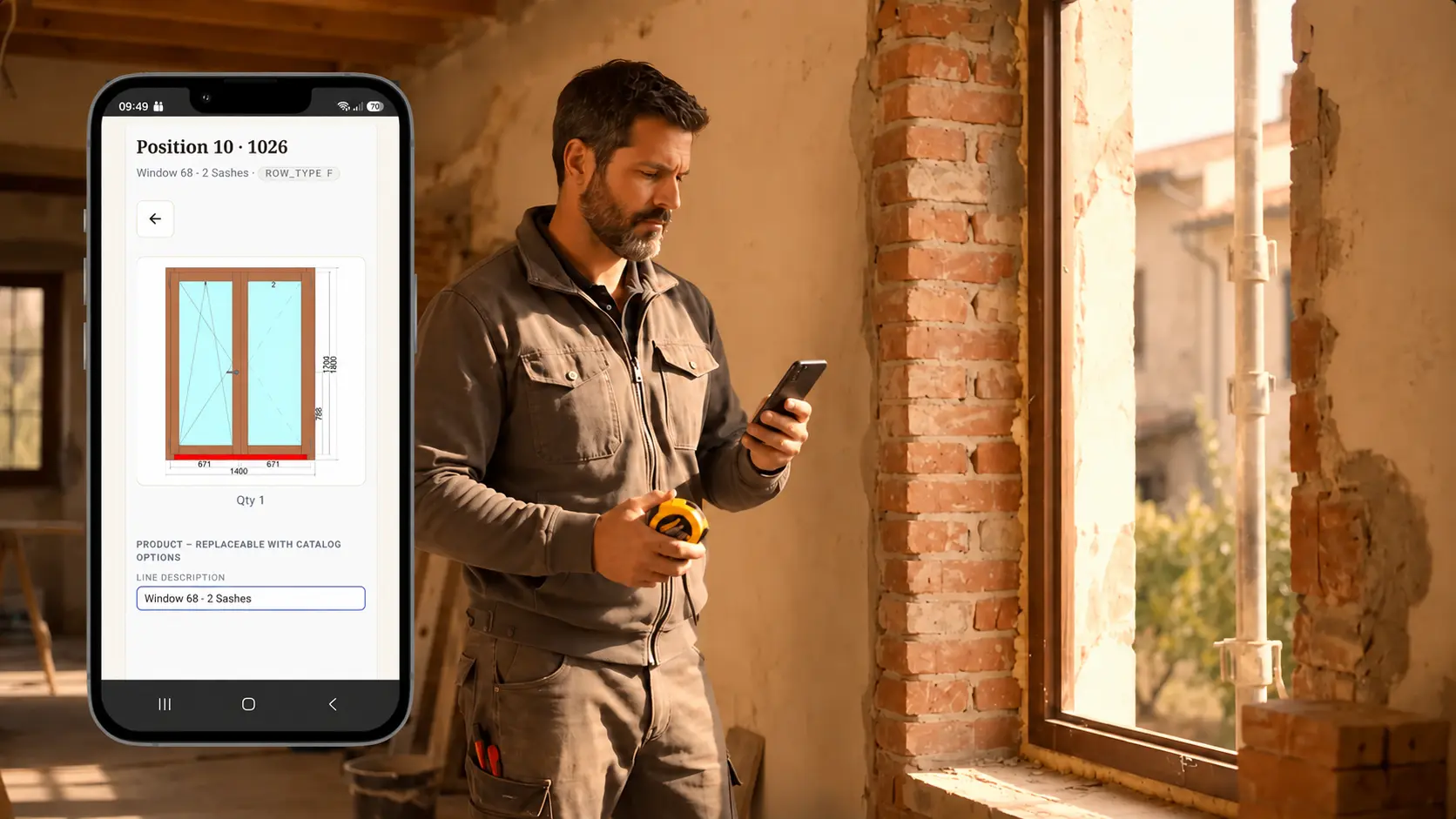
Take measurements on site.
Send them to Archimede without re-entering them.

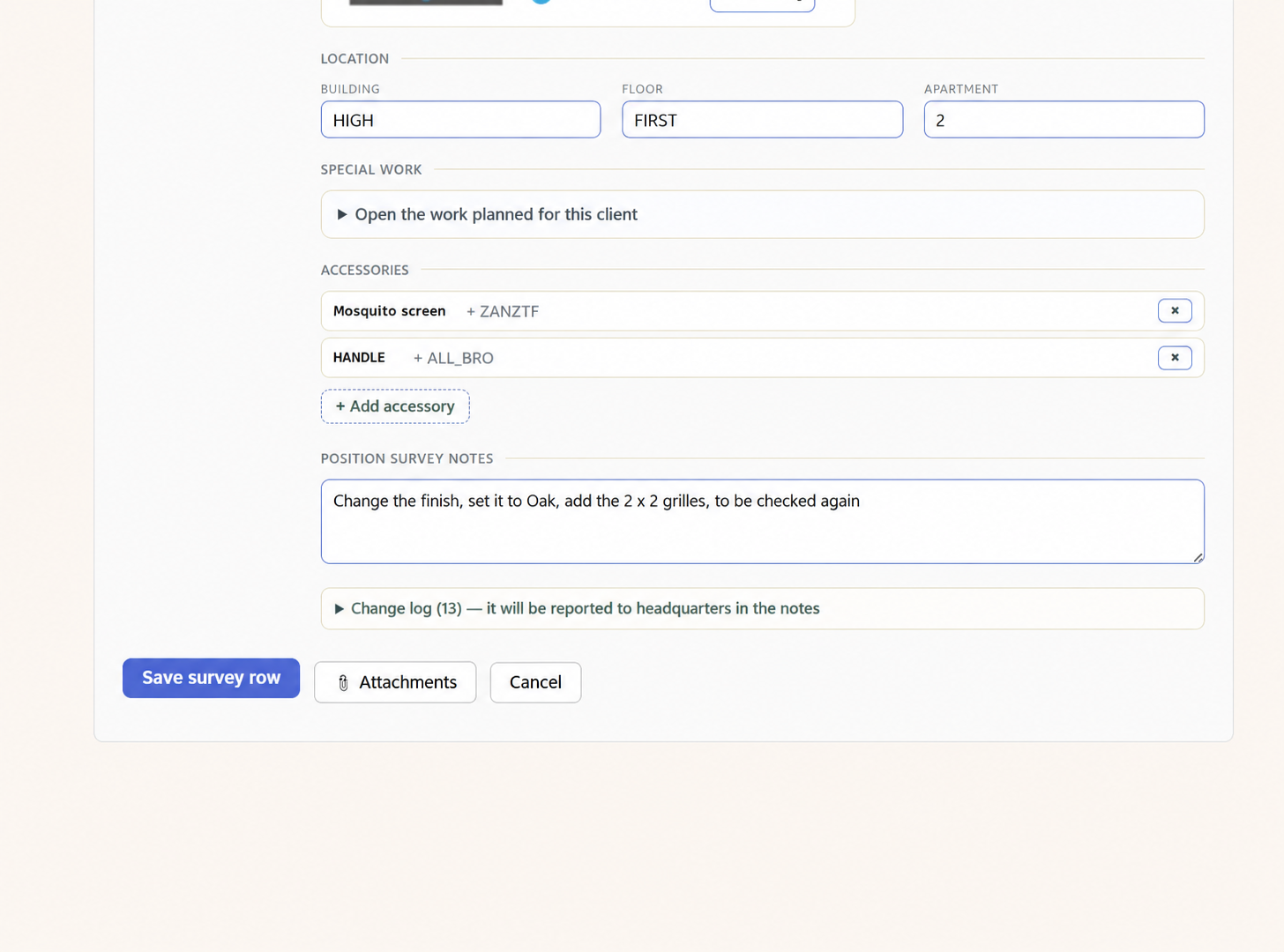
Assign orders, update each item, and record measurements, specifications, accessories, notes and attachments. Then send the survey back to the office through a workflow already linked to the Archimede job.

Book a demo call Discover Archimede →
Web-based accessUse it on site from your smartphone or tablet, without a complicated setup.
Pre-assigned ordersThe surveyor can see the customer, site and items to check.
Complete technical dataMeasurements, opening types, installation details, accessories, notes and attachments in one place.
Connected to ArchimedeThe survey reaches the office without copying data from paper notes or messages.
Orders and jobs

Arrive on site with everything already organised

The assigned order contains the information you need to start the survey straight away, without phone calls, separate sheets or scattered details.

Clear, trackable statusesSee at a glance which surveys are new, in progress or already sent to the office.
Every item in the right placeThe customer, site, reference, delivery details and window and door units to check all stay linked to the same order.
List of orders assigned for site measurement surveys
Complete technical data

More than just width and height

Each item brings together the information needed to fully describe the window or door and its installation conditions.

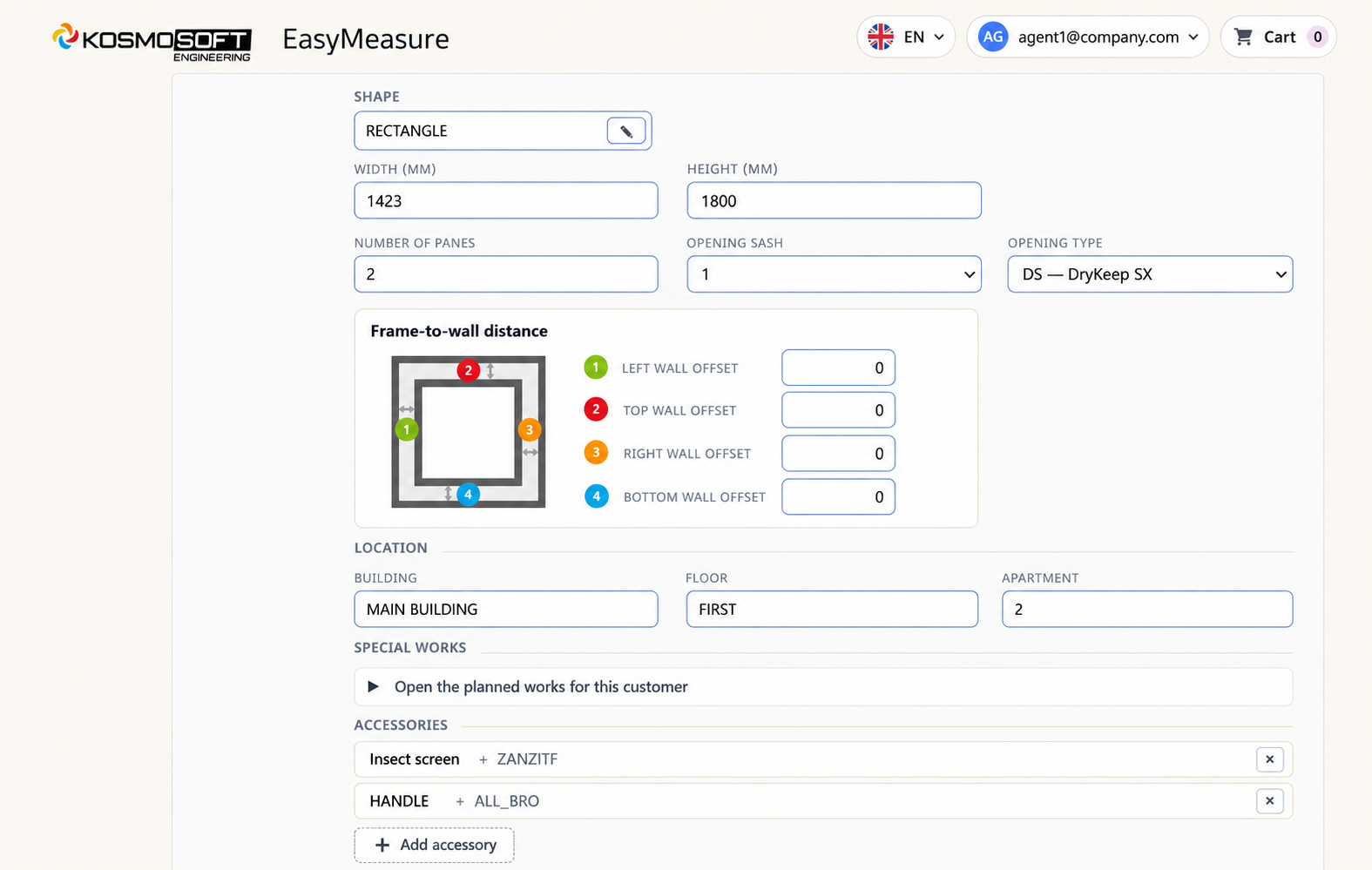
Detailed configurationEdit the description, timber species, glazing, colours, shape, dimensions, number of sashes and opening type.
Site, installation and machiningRecord wall-to-frame offsets, location, special machining operations, accessories, notes and attachments directly on site.
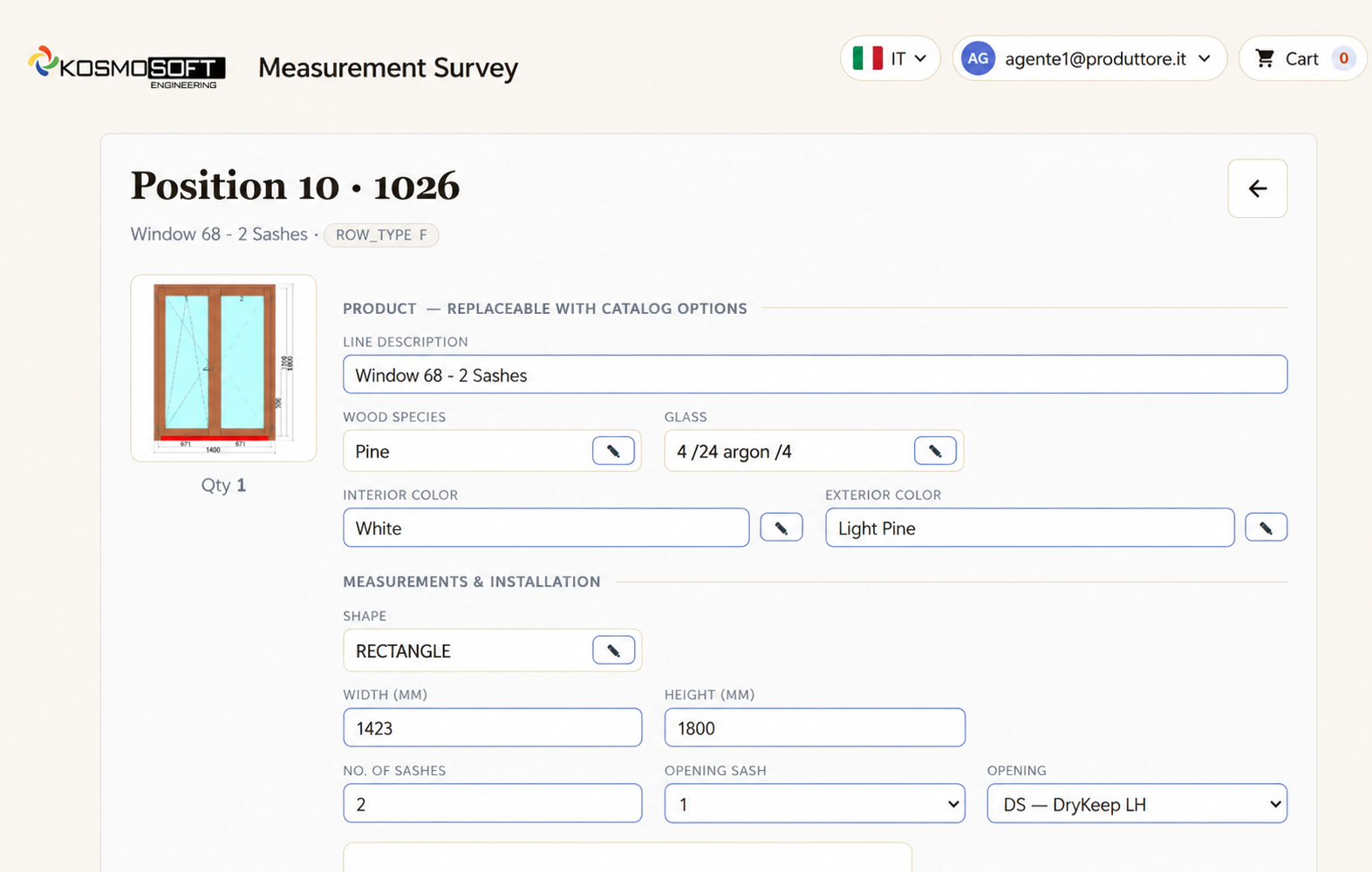
Item specifications showing the product, materials, colours and dimensions
Installation data, location and accessories for the window or door Notes, attachments and saving the survey item
Connected to Archimede

Send the survey back, ready to review and compare

Changes made on site remain highlighted and linked to the original job data.

Track every changeIdentify modified, split or cancelled items, view the change history and restore the original data whenever needed.
Send directly to the officeSend the complete survey for review and continue the job within the Archimede workflow, without re-entering the data manually.
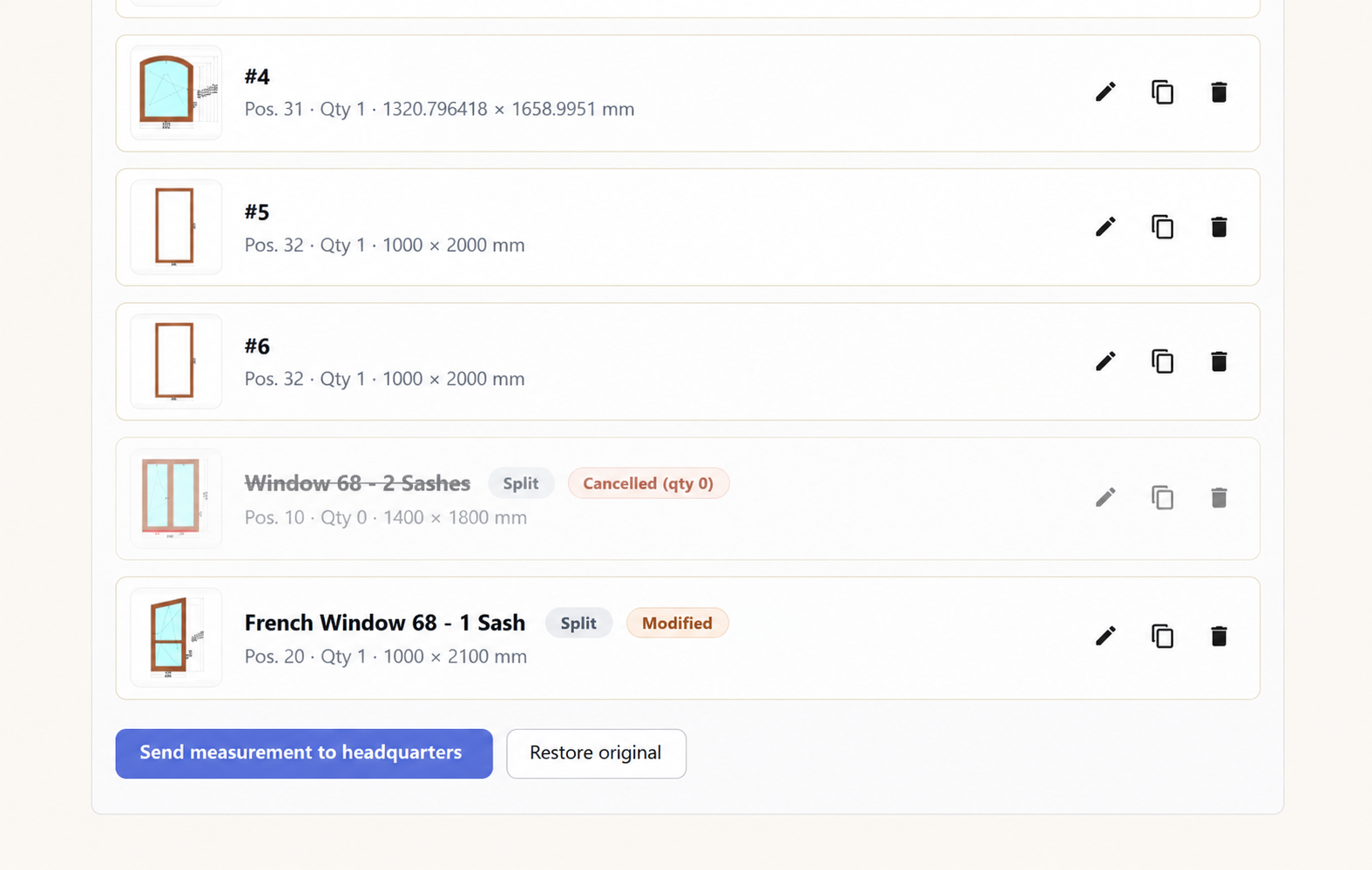
List of modified items and the button to send the survey to the office Saving the item, attachments and the change log
Video

Discover more about EasyMeasure.

From the site to Archimede,
without unnecessary steps.

Cut down on scattered paperwork, messages and repeated data entry. With EasyMeasure, every detail stays linked to the order and is ready to feed back into your company’s workflow.

Request a demo

EasyMeasure screenshot

Archimede EasyMeasure

Book your free demo

Leave your contact details and we will get in touch to arrange your demo.

All fields are required.

Include your country code, e.g. +44 20 7946 0018.

Kosmosoft will use your details to contact you about your demo.